No API, no problem
Organisations typically work with a variety of web applications which might lack a web API for easy integrations. Government portals in particular are often the most tightly fenced off and secured. This doesn’t stop our team from building connections to these kinds of platforms. When one of our clients called on our Ledger Labs team to build a tool that would be able to continuously retrieve data from a key government platform, we set to work.
Dashboards and platform integration
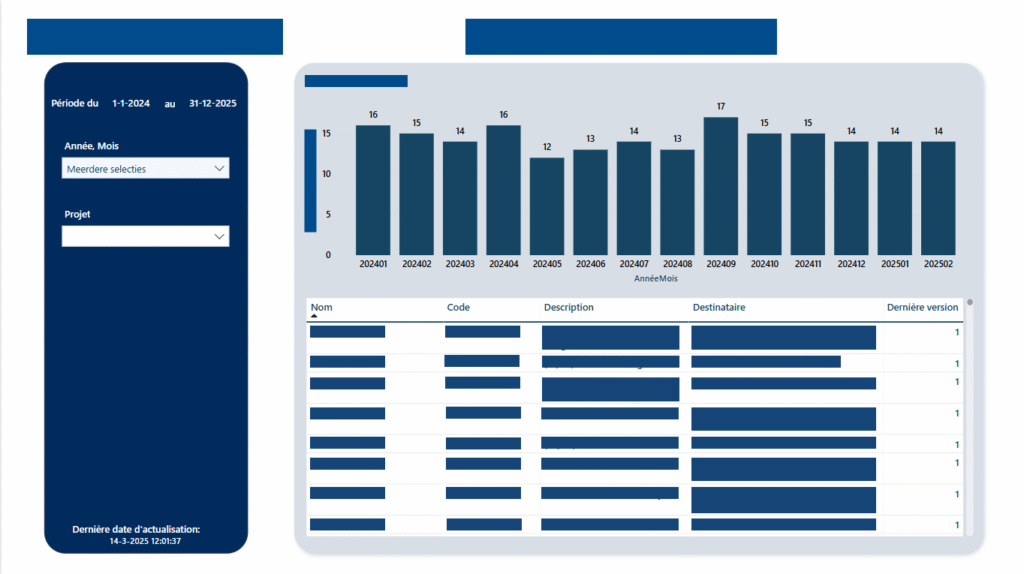
The main task for our team consisted of building a fast, always-on integration with a particular government portal that would allow our client to receive their data continuously. The end goal was to use this data for preparing monthly sales invoices, based on the figures published on the portal. In addition, we also delivered a Microsoft Power BI dashboard that gave the client more comprehensive insights than the original platform itself.
Connecting through open-source technology
We built an integration using largely open-source resources. The only licensed tool was Microsoft Power BI, which was our customer’s required platform for data visualisation. All other technologies used for the actual data orchestration between the portal and Power BI were open source.
The integration we built consists of three flows:
- Hourly data retrieval
Every hour, people log on to the government portal. For this purpose, a Dagster Orchestrator is deployed that communicates with a Selenium browser and a Vault for user credentials. Each execution reads the data that was created or modified on the portal since the previous execution (one hour earlier). The result is a structured database that makes the data easily available.
- Daily data upload
Three times a day, data is uploaded via an on-premise gateway to a Data Lake in Azure. Once the data is in the cloud, end users can consult it in a PowerBI report. - Monthly invoice preparation
Every month-end, the data is interpreted and flat rates are recorded in the invoicing software. The numbers on the sales invoices are thus directly linked to the data read out on the government portal.
Making automation pay off
Automating the connection to the government portal has streamlined the entire invoicing process for the client. Sales invoices are now prepared automatically based on the data from the government portal, eliminating manual work and reducing errors. Our client reported fewer complaints from their own partners and end clients, as invoices are both prepared faster and more accurately. When questions do arise for internal decision-making, the Power BI dashboard provides guidance with clear, detailed explanations.